
Nordcraft vs Webflow vs Framer
Which website builder is right for you in 2026? A lot has happened in the last couple of years. Developer tools are changing and new tools are entering the market. To help you better find which tool is right for you, we created a comparison guide between the top 3 website builders on the market in 2026.
The age of AI
AI is changing the way we build software and AI agents are already a part of almost every developer's toolbox. Webflow and Framer have both added features that allow you to use generative AI to bootstrap your project. First you prompt until you get a good starting point. After that you switch to the website editor for the final visual adjustments. This approach gets you started quickly, but it has one fundamental flaw: it assumes that every project neatly moves from planning to design to implementation in a straight line. In reality this is rarely the case with creative projects.
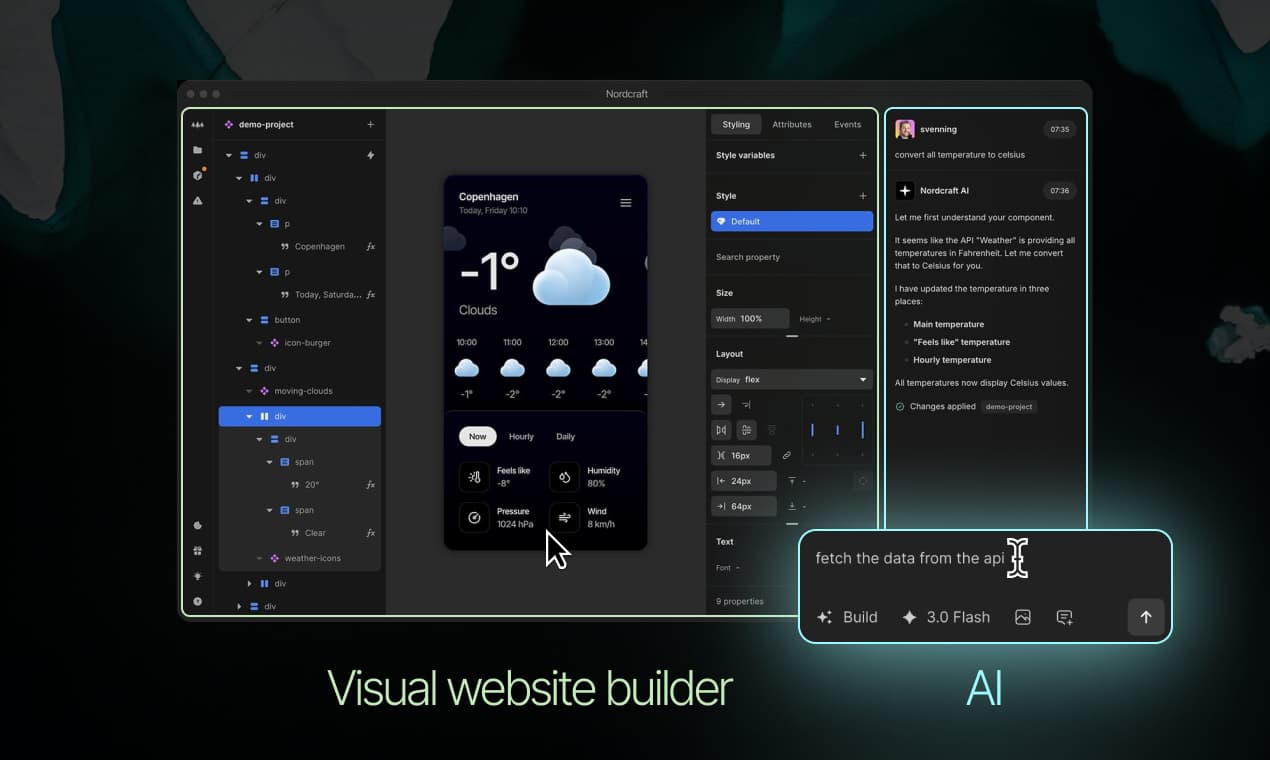
Nordcraft is different. Where the other platforms treat AI as an add-on, the Nordcraft AI agent is a fully integrated with the rest of an editor. You can move seamlessly back and forth between prompting and visual editing without delay or switching context. In Nordcraft, the AI agent is not just for scaffolding projects, you can use it to quickly add new features of sections, create complex logic and workflows or even explain how to use different features in the editor. You get the best of both worlds. A fully capable AI agent up to 6x faster than Claude Code and a professional visual website builder.
CSS
All three tools have excellent visual editors that makes styling sites with CSS both faster and easier. While they look similar on the surface, when you look closer the differences become more clear.
A good example is how each platform deals with little things like defining the size of an element. Framer offers a limited selection of fixed (px), relative (%), fill and fit. Webflow does a bit better by adding REM, and viewport units. Finally Nordcraft supports all of the 50+ units available in CSS.
Both Framer and Webflow lack proper support for CSS variables, one of the most powerful features added to CSS in the last couple of years.
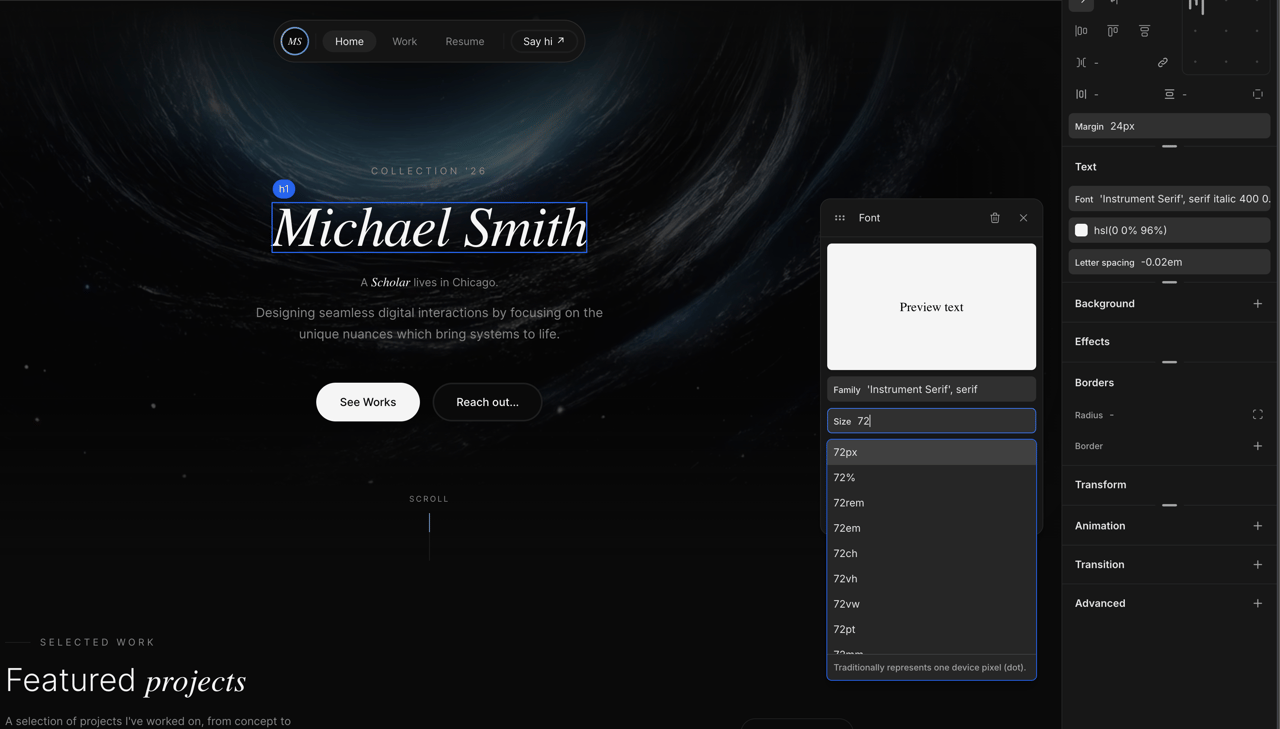
Framer doesn't just limit which CSS features are available to the user. Where Webflow and Nordcraft are referring to elements as HTML and styling as CSS, in Framer you are building with Framer's own concepts such as “Frames” and “Stacks”. As a result, switching between Webflow and Nordcraft is fairly easy, where Framer concepts mostly have to be learned from scratch.
Animations are a great example of how each platform has a slightly different philosophy. Both Framer and Webflow have built their own animation systems. In both cases, adding basic animations to your site is fairly easy, but as you start building more visually interesting sites they start to feel limiting. Nordcraft is different. Instead of relying on JavaScript, it is using CSS keyframe animations. This means that your animations will run smoothly across all browsers and devices. Features like scroll-based animations are already supported natively in CSS and therefore in Nordcraft as well. With the animation editor you can animate every CSS property and with complete control of every frame.
Website experience
Each tool is built for a different type of user which makes it hard to do objective comparisons between features. Features that are important to one type of user might not be to another. One area where you can make and objective comparison however is the output you present to your users.
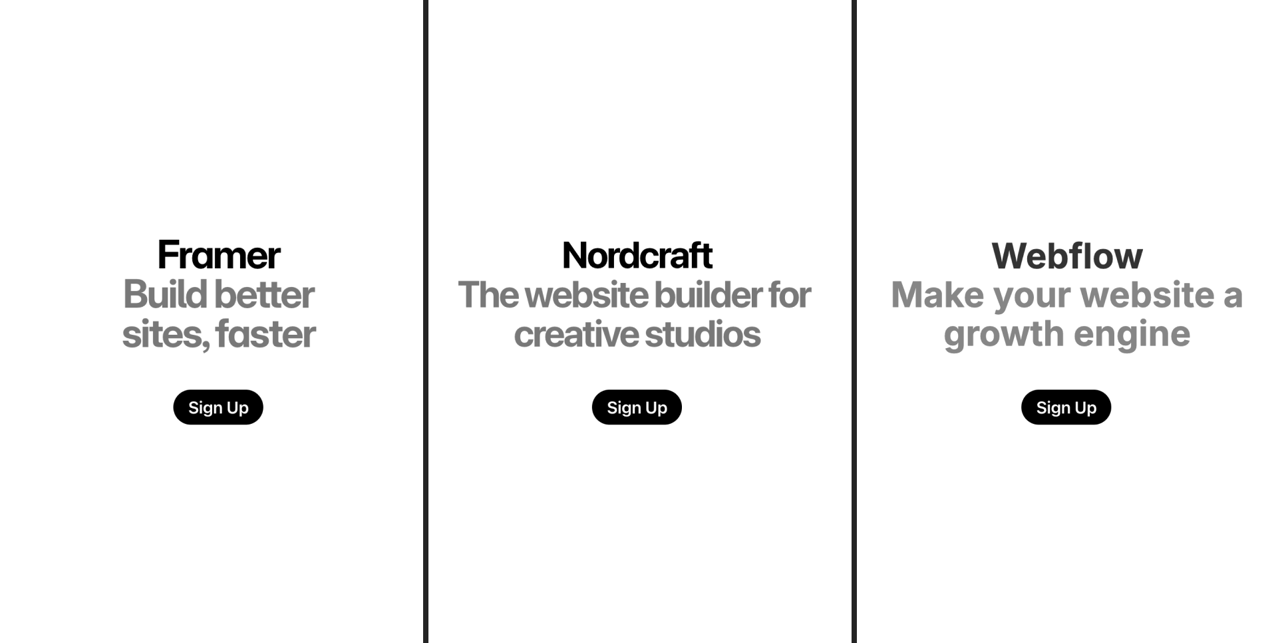
To test this out, we built the same very basic landing page in all three tools to compare how they perform.
The most noticeable difference was the size of the page.
Framer comes in at over 1M for a website that only contains a heading and a signup link. Modern internet connections are getting faster but we can clearly feel the difference when comparing the time it takes to load each page, rspecially on mobile devices. This is where we start to see the cost of choosing proprietarily solutions to things like styling and animations. Your Framer site has to ship a lot more code to the end user.
The example below measures the “Largest Contentful Paint” on a simulated 4g connection. Largest contentful paint or LCP is a standard way to measure the time it takes before users see your website the way you designed it. The Framer site takes over 3.6s: twice as long as the identical site built in Nordcraft. This is important, because these scores essentially set the limit for how well any site built in each platform can perform.
Simulated load time on 4g device
Logic and workflows
Try the Nordcraft app Grab Hold
All three platforms ship with every feature you need to create a well designed landing page but as you start moving beyond static websites, the differences between the platforms start to widen. Webflow and Framer both come with built in CMS solutions that let you build simple content sites, letting editors update the content independently. Nordcraft takes this much further by letting you choose exactly the CMS that works for you. Nordcraft’s API panel works with any CMS or data backend. The powerful logic system means that you can access and transform that data anywhere in your site. With workflows, your site can react to user events and can turn your website into a full SaaS application. The Logic system in Nordcraft is so powerful that we built the whole Nordcraft editor, in Nordcraft.
Version control
Version control becomes an essential feature if you are working in a team, and can also be extremely useful on your own. Framer uses a simple linear versioning system where you edit a draft of the site and publish it when you think the new version is ready. This works well if you are a single developer working on the site. Webflow is similar to Framer, but does offer a simplified type of branching, though only to enterprise customers.

As a full team of developers and designers that use Nordcraft every day to build Nordcraft, we needed a much more robust version control system. Nordcraft’s version control is inspired by Git, the version control system used for code. You can create unlimited branches of your product, which can be shared between team mates when needed. Before you publish a branch you can see the complete set of changes that have been made on your branch so you know exactly what you are shipping. Each branch also has a complete change history where you can see every single change that happened. You can go back and preview previous versions of your branch or roll your branch back to any point in time. Version control is a core feature that lets you ship changes with confidence. That's why we made it available to every Nordcraft user
Pricing
Webflow and Framer both use tiered pricing with basic plans starting at $18/mo and $16/mo, respectively. Many features are locked away on the higher pricing tiers, including access to their content management systems and collaboration features.
Nordcraft takes a different approach to pricing. All features are available on all plans, even the free tier. You only pay for hosting, which starts at $9/month.
| Feature | Framer | Webflow | Nordcraft |
|---|---|---|---|
| Entry paid | $16/mo | $18/mo | $9/mo |
| Seat/team cost | +$20/editor | +$19/seat | Free & Unlimited |
| Self hosting | No | Paid plans | Free |
| CMS | Upgrade to access | Upgrade to access | Any CMS |
Conclusion
Webflow, Framer and Nordcraft have a lot in common, and at first glance it can be hard to tell them apart. Most of the differences are small on their own but together they paint a clear picture of who each tool was designed for.
Framer is the easiest to learn if you are just getting started. It consciously leaves out more more complex features in favor of being more beginner friendly. Where Webflow and Nordcraft are visual editors for working with HTML and CSS, Framer is more closely related to tools like Wix and Squarespace. If you are looking to build a website, and don’t care too much about SEO and and performance, Framer might be a good choice for you.
Webflow is the mot established tool of the three. It is designed primarily for enterprise marketing team and has add-ons for A/B testing, SEO and everything you might need to “Turn your website into a growth agent”. Some core features such as branching are only available to enterprise customer.
Nordcraft is the new tool on the market. It is designed to be a better way to work with modern CSS, not as a replacement. It is built for creative professionals who want the full flexibility of a modern Javascript frameworks with the joy and ease of a visual website builder.
.jpeg/public)